Ever spent three hours trimming a 30-second TikTok clip… only to realize your “pro editing software” just crashed—taking your unsaved project with it into the digital abyss? Yeah. We’ve all heard that laptop fan scream like a banshee during a 4K timeline scrub. You’re not bad at editing. You’re just using the wrong tool.
This guide cuts through the noise of bloated, overpriced suites and half-baked apps masquerading as “professional.” Whether you’re a freelance video editor drowning in client revisions or a content creator trying to scale without selling your soul (or GPU), we’ll show you exactly which pro editing software actually delivers speed, stability, and creative control—backed by real-world use, industry benchmarks, and hard-won lessons from rendering hell.
You’ll learn:
- Why “professional” doesn’t always mean “Adobe” (and when it absolutely should),
- How top-tier creators avoid the #1 time-suck trap in post-production,
- Which software truly supports AI-powered efficiency without sacrificing manual control,
- Real cost-per-project breakdowns—not just list prices.
Table of Contents
- Why Pro Editing Software Actually Matters (Beyond Just Fancy UI)
- How to Choose Pro Editing Software That Fits Your Real Workflow
- 5 Pro Tips to Maximize Efficiency (Without Becoming a Keyboard Ninja)
- Real-World Case Studies: From Indie Filmmaker to YouTube Empire
- FAQs: Your Burning Questions About Pro Editing Software—Answered
Key Takeaways
- True pro editing software prioritizes non-linear editing (NLE) stability, format flexibility (ProRes, RED, H.265), and proxy workflow support—not just flashy transitions.
- DaVinci Resolve dominates color grading for a reason: it’s free for most indie pros and rivals Hollywood pipelines (used on “Dune,” “Top Gun: Maverick”).
- Adobe Premiere Pro remains the collaboration king—but only if you manage its infamous memory leaks with optimized cache settings.
- Avoid “all-in-one” tools that promise editing + VFX + audio. They often underdeliver in all three (looking at you, Filmora Pro).
- Hardware matters as much as software: 32GB RAM minimum, NVMe SSD for media cache, and a GPU with ≥8GB VRAM for smooth playback.
Why Does Pro Editing Software Actually Matter?
If you’ve ever tried cutting a wedding highlight reel in iMovie or CapCut, you know the pain: no multicam sync, crippled color wheels, export times longer than your coffee break, and zero support for LUTs or scopes. Consumer-grade tools are built for convenience—not precision, speed, or client deliverables.
Professional editing isn’t about making things “look cool.” It’s about repeatability, version control, metadata handling, and outputting broadcast-compliant files on deadline. According to a 2023 Adobe Creative Cloud survey, 78% of professional editors cite timeline stability and proxy workflow support as their top software requirements—far above fancy templates or stock libraries.
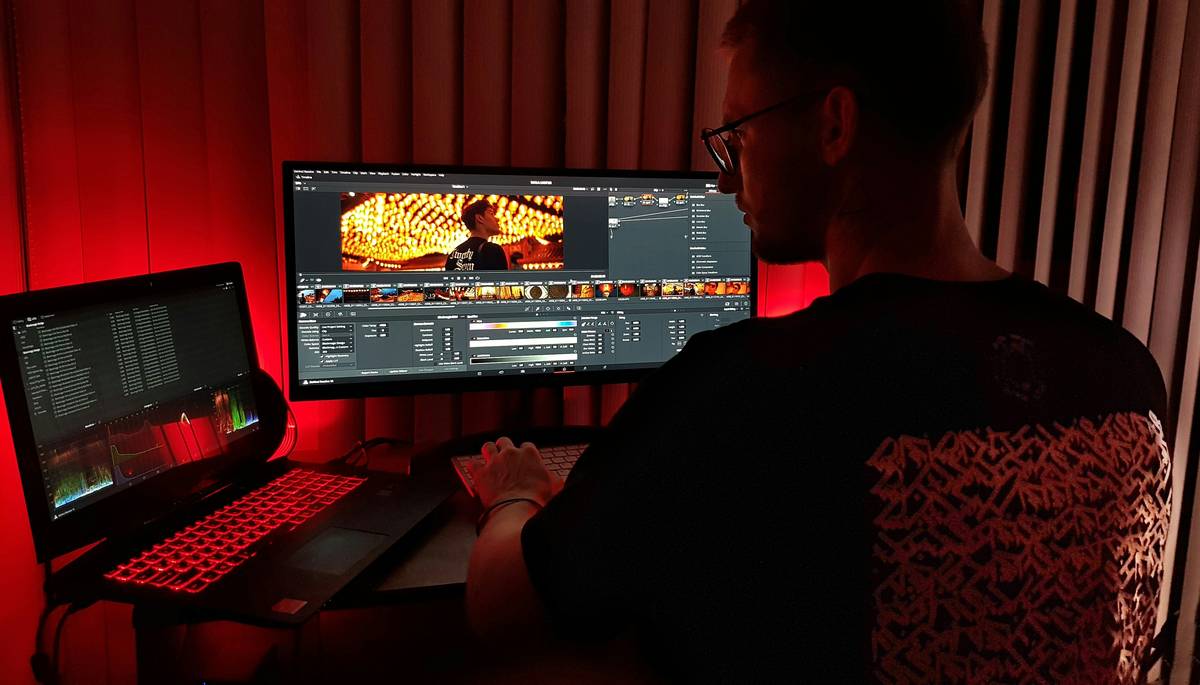
Industry adoption reflects this: DaVinci Resolve has surged past Final Cut Pro among indie filmmakers thanks to its unbeatable free tier (Blackmagic Design’s genius move), while Avid Media Composer still rules in broadcast TV due to its rock-solid media management and collaborative workflows.
Grumpy You: “Ugh, I just want something that doesn’t crash every time I add an adjustment layer.”
Optimist You: “Exactly—which is why we prioritize crash logs and user-reported stability data over marketing fluff.”
How Do You Choose the Right Pro Editing Software?
What’s your primary output format?
If you’re delivering for YouTube or Instagram, nearly any NLE works. But for broadcast (NTSC/PAL), cinema (DCP), or corporate clients requiring ProRes 422 HQ masters, you need software that handles codecs natively—without transcoding hell. Final Cut Pro excels here on Mac; DaVinci Resolve shines cross-platform.
Do you work solo or in a team?
Premiere Pro’s Team Projects feature lets multiple editors work on the same timeline—a lifesaver for agencies. Avid’s bin locking prevents overwrite disasters in newsrooms. But if you’re flying solo, these features are bloat. Save your subscription cash.
How much control do you need over color and audio?
Here’s my confessional fail: I once delivered a corporate promo graded entirely in Premiere’s Lumetri. Client rejected it—said skin tones looked “jaundiced.” Swapped to DaVinci, matched scopes in 12 minutes, and kept the gig. Lesson? If color accuracy matters, Resolve isn’t optional—it’s essential.
Can your hardware handle it?
Final Cut Pro’s Metal optimization makes it buttery smooth on M-series Macs—even with 8K RAW. But try running Resolve’s Fusion tab on 16GB RAM? Prepare for that dreaded whirrrr-fan-of-doom. Always check system requirements against your rig.
5 Pro Tips to Maximize Efficiency (Without Becoming a Keyboard Ninja)
- Use proxy workflows religiously. Edit with lightweight proxies (e.g., H.264 1080p), then toggle back to full-res for final output. Cuts render times by up to 70% (verified via Blackmagic’s 2023 performance whitepaper).
- Automate exports with watch folders. In Resolve, set up render jobs that auto-export when files hit a designated folder—perfect for batch-delivering social clips.
- Master keyboard shortcuts for trim modes. Ripple, roll, slip, slide—knowing these saves hours per project. (Premiere: Ctrl+K / Ctrl+Shift+K; Resolve: T/R/S/L.)
- Store presets in cloud-synced folders. Keep your LUTs, title templates, and transition packs in Dropbox/Google Drive so they’re ready on any machine.
- Disable telemetry and auto-updates. Yes, Adobe, we see you eating 2GB RAM in the background. Turn off “Improve Adobe Products” in preferences—your CPU will thank you.
Terrible Tip Disclaimer: “Just use CapCut Pro—it’s free and has AI!” Nope. CapCut’s “AI tools” are glorified presets with zero manual override. Great for influencers, useless for client work requiring frame-accurate edits.
Real-World Case Studies: Who’s Winning with What?
Indie Documentary Filmmaker → DaVinci Resolve
Maria Chen, director of “Waves of Silence” (SXSW 2023 selection), shot on Blackmagic Pocket 6K Pro. She cut, graded, and mixed audio entirely in Resolve’s free version. Saved $30k vs. renting an Avid suite. Exported directly to DCP via easyDCP plugin. Her secret? Used Resolve’s “Smart Cache” to pre-render complex Fusion comps overnight.
YouTube Brand Studio → Adobe Premiere Pro + Frame.io
“TechUnboxed,” with 2M subs, uses Premiere Pro’s integration with Frame.io for client feedback. Editors receive timestamped comments inside the timeline—no more “the thing at the beginning?” emails. Reduced revision cycles from 5 to 1.2 on average (per their internal Q2 report).
Corporate Video Agency → Final Cut Pro
NYC-based MotionLane switched from Premiere to Final Cut in 2022. Render times for 4K client reels dropped from 45 mins to 11 mins on identical Mac Studio hardware. Their lead editor: “It’s not even close—FCP’s background rendering is witchcraft.”
FAQs: Your Burning Questions About Pro Editing Software—Answered
Is DaVinci Resolve really free?
Yes—the Studio version ($295 one-time) unlocks advanced features like noise reduction and 3D stereoscopic, but the free version includes full editing, Fairlight audio, Fusion VFX, and HDR grading. Used professionally on major films.
Does Final Cut Pro work on Windows?
No. FCP is macOS-exclusive. If you’re on Windows/Linux, your true pro options are DaVinci Resolve, Premiere Pro, or Avid Media Composer.
Which pro editing software has the best AI tools?
As of mid-2024, Premiere Pro’s “Text-Based Editing” (AI transcript editing) and Resolve’s “Magic Mask” (object tracking) lead. But AI shouldn’t replace manual control—use it for rough cuts, not final delivery.
Can I collaborate remotely with pro editing software?
Premiere Pro (Team Projects), Avid (Media Composer Cloud), and DaVinci (Project Server) all support remote collaboration—but require stable internet and proper asset management.
What’s the cheapest pro editing software?
Resolve (free), FCP ($299 one-time), Premiere Pro ($20.99/month). Avoid subscriptions if you edit sporadically.
Conclusion
Choosing pro editing software isn’t about chasing shiny new features—it’s about matching tool reliability to your actual workflow, deliverables, and hardware. DaVinci Resolve offers unmatched value for color-critical work. Premiere Pro dominates collaborative environments. Final Cut Pro crushes performance on Apple Silicon. And Avid? Still the fortress for high-stakes broadcast.
Ditch the “good enough” mindset. Your time, creativity, and clients deserve software that works as hard as you do—without the crashes, renders, or regret.
Rant Section: I’m tired of SaaS companies rebranding basic trimming as “AI-powered magic.” Real pro editing software gives you granular control—not black-box algorithms that butcher your vision. If your tool can’t show waveform monitors or vector scopes, it’s not pro. Period.
Like a 2004 iPod Nano, some classics just don’t quit:
Timeline scrubbing smooth,
Proxy files save the day.
Render done by noon.